How to set up and configure taxes
Configure the taxes that apply to your business.
Duplo Dashboard · How-to guides · Nigeria only · Last updated
Setting up taxes for your business is a crucial step in ensuring compliance with financial regulations and maintaining accurate financial records.
This guide will walk you through the process of configuring taxes within the Duplo platform, thereby helping you manage your business finances more effectively.
Let’s dive in!
Steps
-
Log into the Duplo Dashboard as a Business owner or admin
-
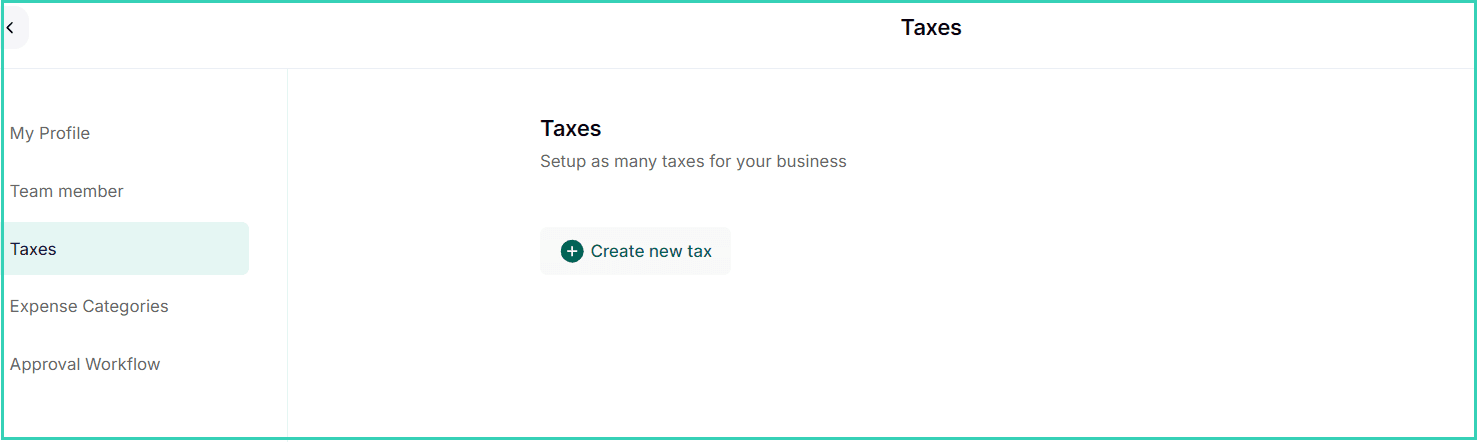
Click on Settings, and under Business Settings click on Taxes.
-
Click on Create New Tax to configure taxes on your business as shown below:
-
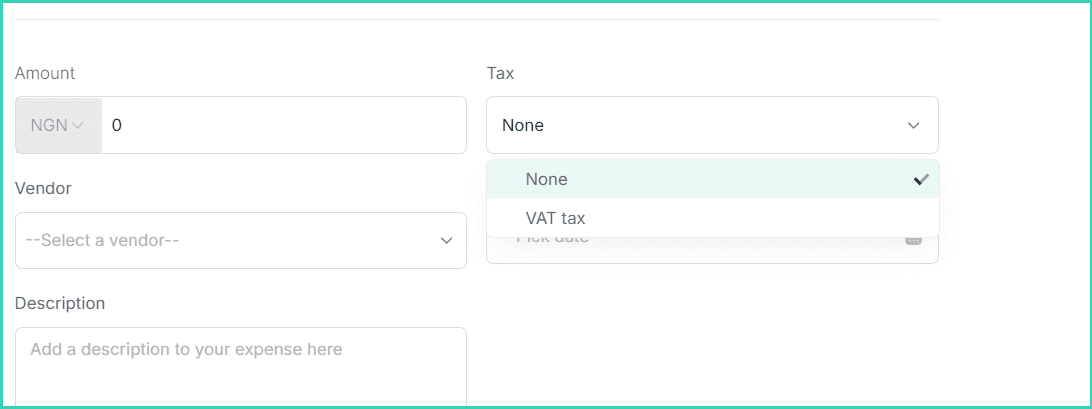
After creating a tax, you can now choose the tax setup for your business when creating an expense as shown below:
Awesome, you have successfully configured taxes on your business.
Learn how to raise an expense.
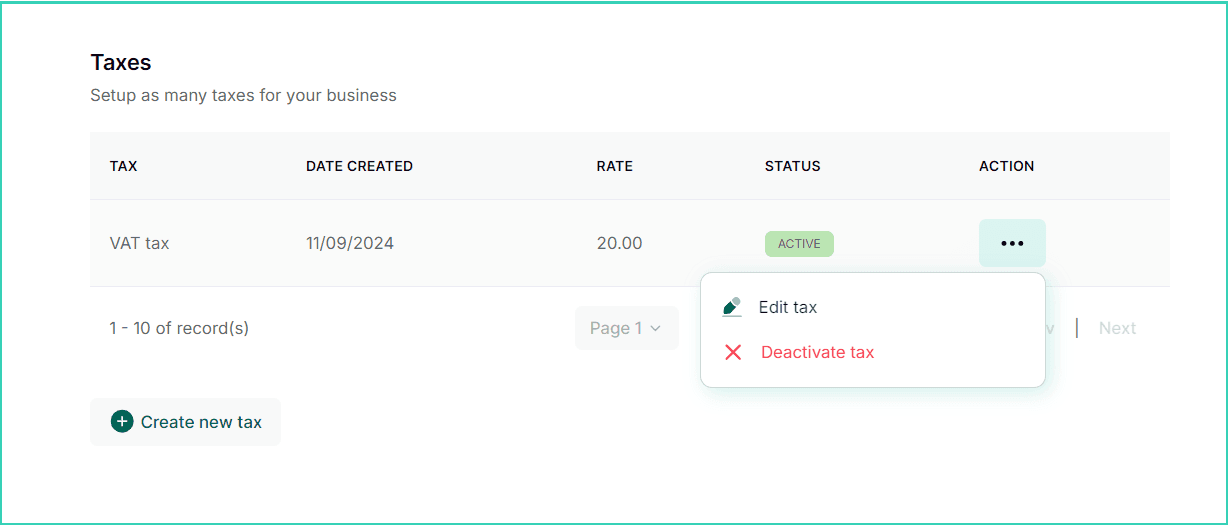
Note: To edit an existing tax, click on the action dots next to the tax and select the desired action. See the image below for reference:
Was this article helpful?
Related articles
Still need help?
Send a ticket to our support team and they will get back to you.