How to set up e-invoicing
Set up your business on Duplo to create and validate NRS-compliant e-invoices.
Duplo Dashboard · How-to guides · Nigeria only · Last updated
Duplo is a certified APP and SI partner that enables businesses to generate NRS-compliant invoices in line with the new tax reforms. Under the NRS mandate, businesses are required to submit and validate their invoices directly on the NRS platform.
This guide walks you through setting up e-invoicing on Duplo so you can create NRS-compliant invoices.
Steps
-
Log into the Duplo Dashboard
-
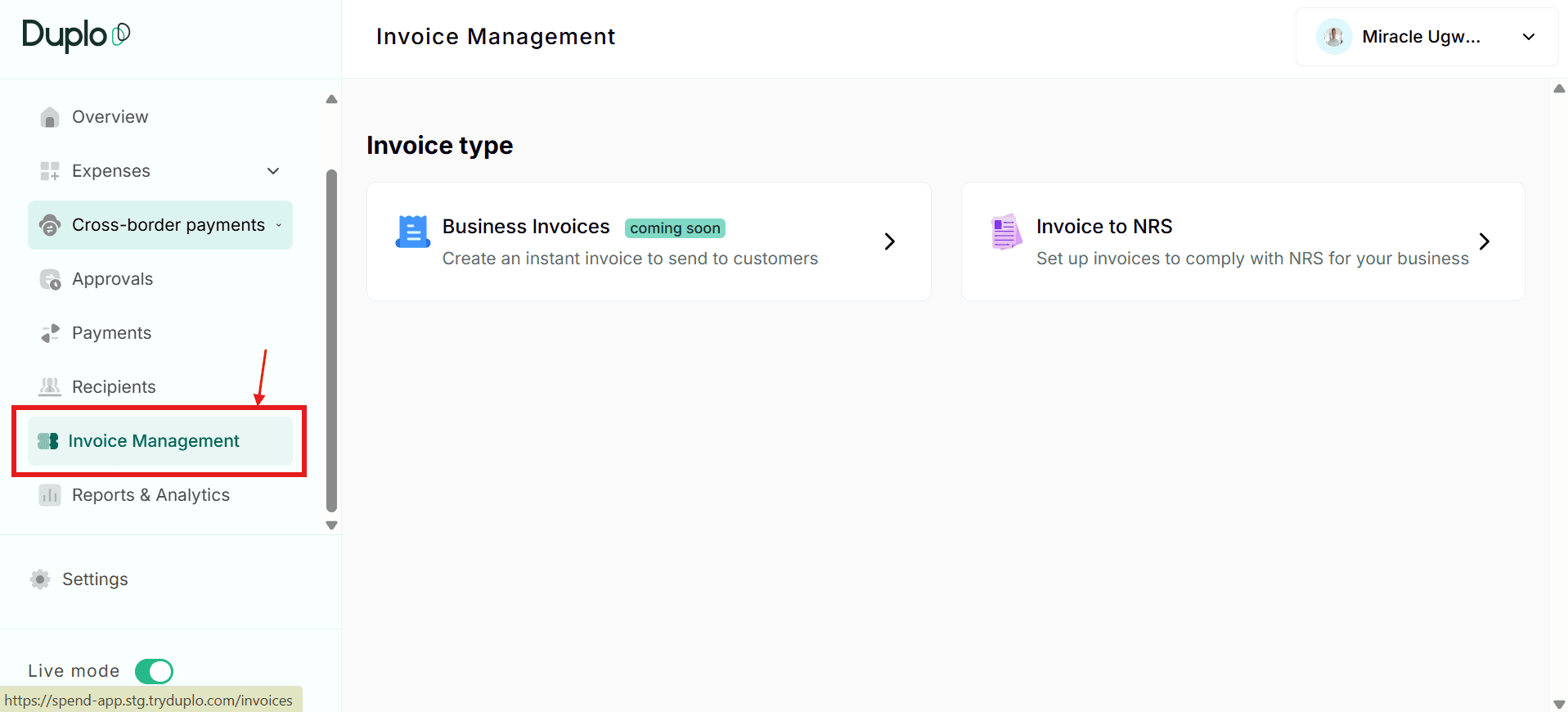
Click on “Invoice Management”
-
Select "Invoice to NRS"
-
You will be redirected to the Settings page, where you can configure your NRS integration.
-
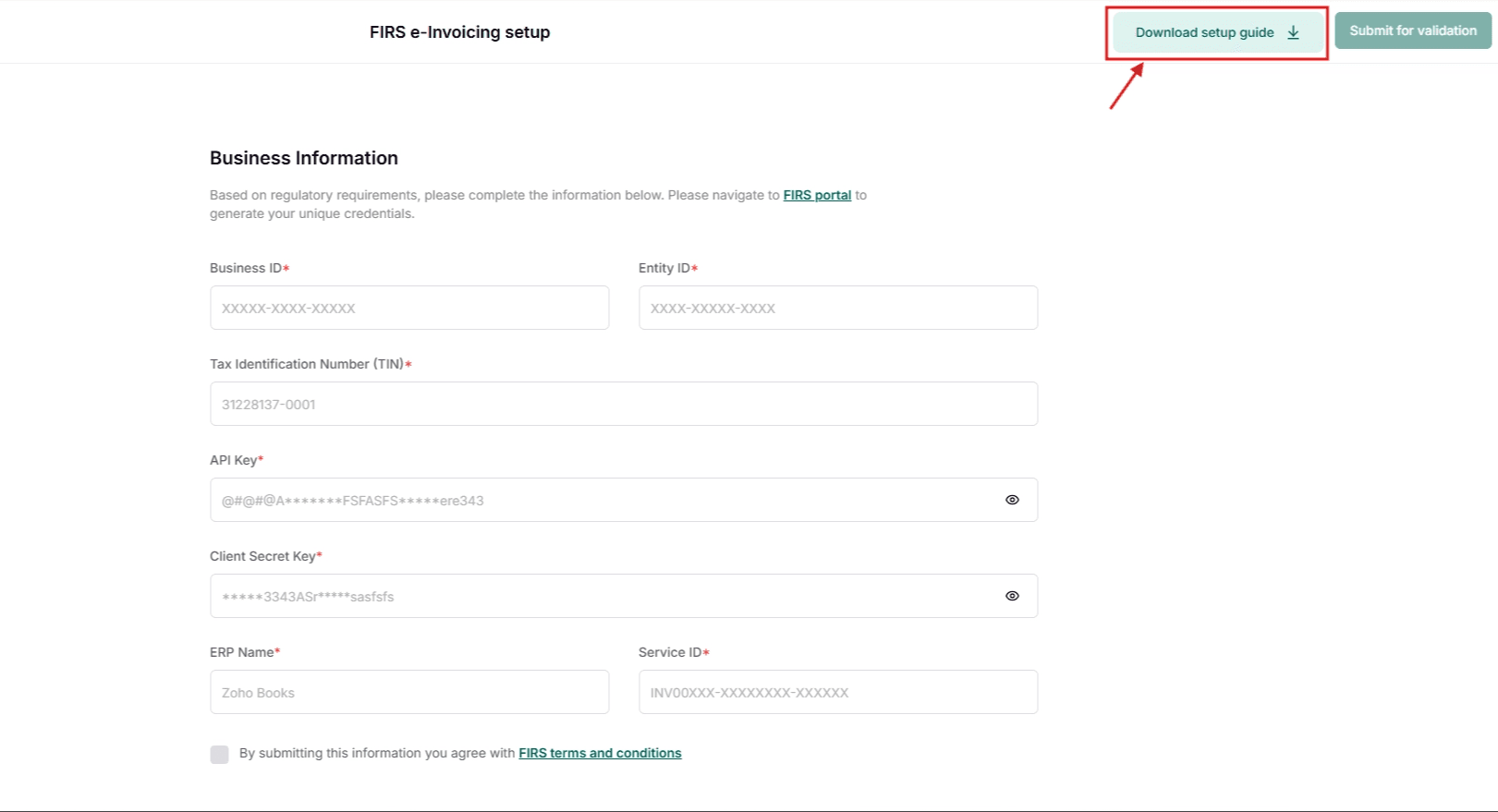
Click on “Download setup guide” to learn how to enable your account on the NRS portal for E-invoicing, as shown below:
-
Enter your business information exactly as provided on the NRS portal, then click “Submit for Validation” to verify your details with NRS.
-
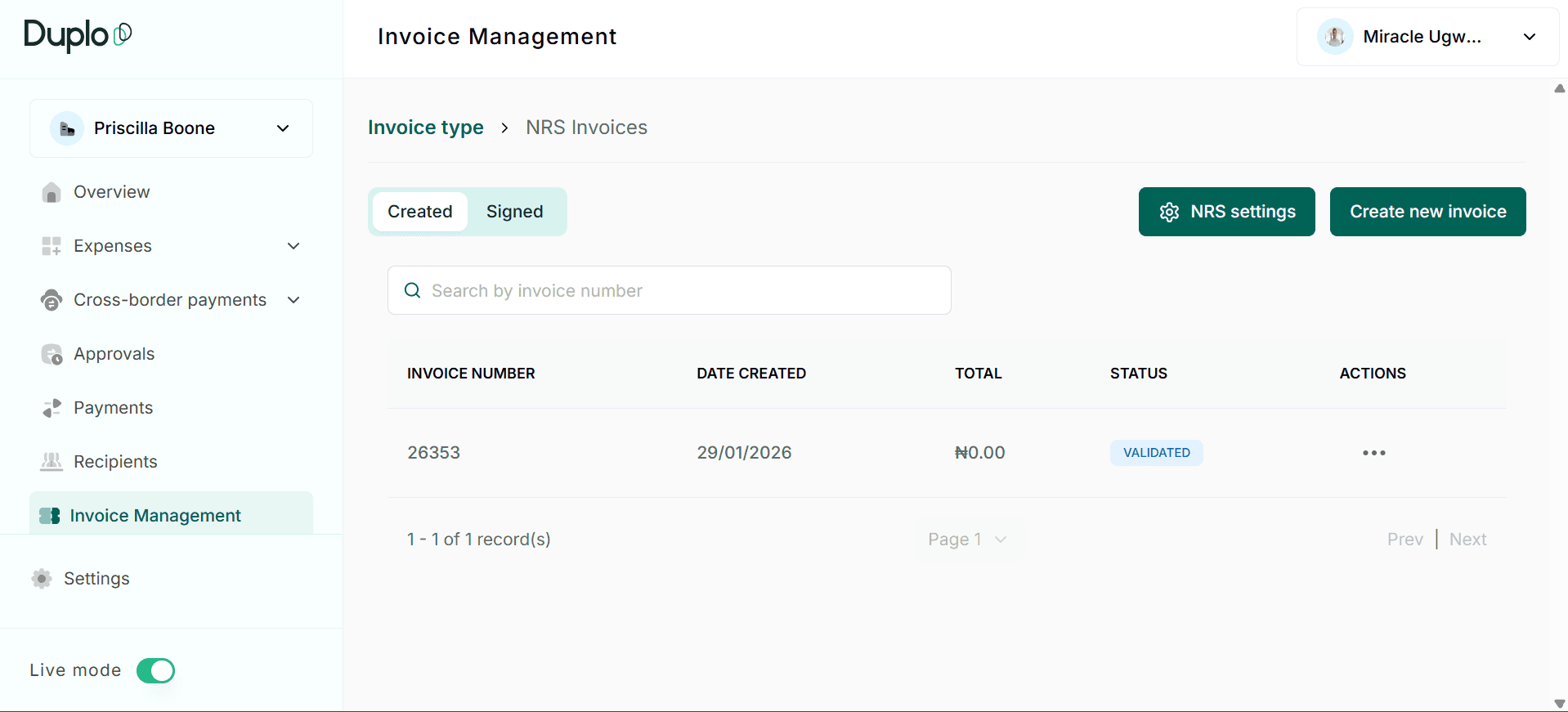
You will be redirected to your e-invoice management page. Here, you can:
-
Create new invoices
-
Submit invoices for NRS validation
-
Track invoice status (pending, validated, rejected)
-
Manage previously submitted invoices, all within the Duplo platform
-
Your e-invoicing setup is now complete. You can begin creating and submitting NRS-compliant invoices immediately.
Frequently asked questions
Was this article helpful?
Related articles
Still need help?
Send a ticket to our support team and they will get back to you.