How to raise a reimbursement
Claim back money you spent for your business, paid to your bank account.
Duplo Dashboard · How-to guides · Nigeria only · Last updated
Reimbursements on Duplo provide a streamlined way for companies to manage and process expense repayments to employees or between different business entities.
This feature enables employees to add their bank details to receive reimbursements directly and provides visibility to the organization on these types of expenses. It streamlines the process of submitting, approving, and processing expense claims, ensuring timely repayments while maintaining transparency and accountability within the company's financial operations.
Let’s dive in!
Steps
-
Log into your Duplo Dashboard
-
Input your bank details on your profile.
-
Click on Settings
-
Select My Profile
-
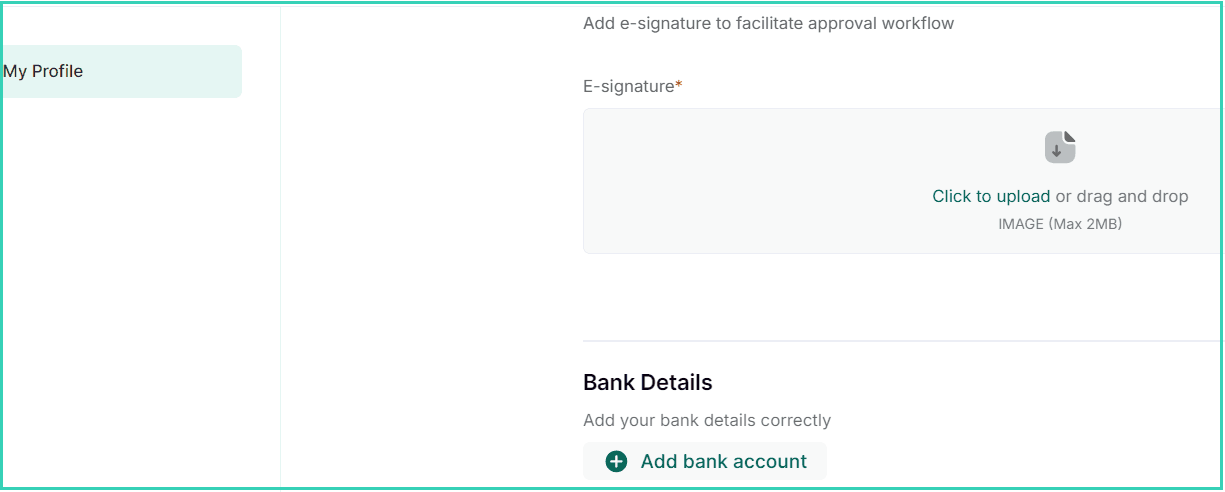
Scroll down to Bank details
-
Click Add Bank to add bank details. As shown below:
-
-
After successfully adding your bank details, you can now raise a reimbursement expense.
-
In the process of raising an expense, after inputting all the required details, tick the box that says Claim Reimbursements as shown below:

Learn how to raise an expense.
-
Once that is selected, during payment it is the employee’s bank details that will be displayed as recipient.
Frequently asked questions
Was this article helpful?
Related articles
- How to create an expense accountSet up an expense account to allocate funds for specific purposes and track spending.
- How to create an expense categoryAdd categories so every expense is grouped the way your business reports it.
- How to make multiple expense paymentsPay several approved expenses at the same time.
Still need help?
Send a ticket to our support team and they will get back to you.