How to make a direct international payment
Send money to a recipient outside your country.
Duplo Dashboard · How-to guides · Nigeria only · Last updated
International Direct Payment allows you to quickly transfer funds to overseas vendors, suppliers, or service providers while maintaining proper documentation in your accounting records.
By following this streamlined process, you'll be able to efficiently manage cross-border payments without the additional step of expense creation, saving you valuable time while ensuring financial accuracy across different currencies and banking systems.
Steps
-
Log in to Duplo Dashboard
-
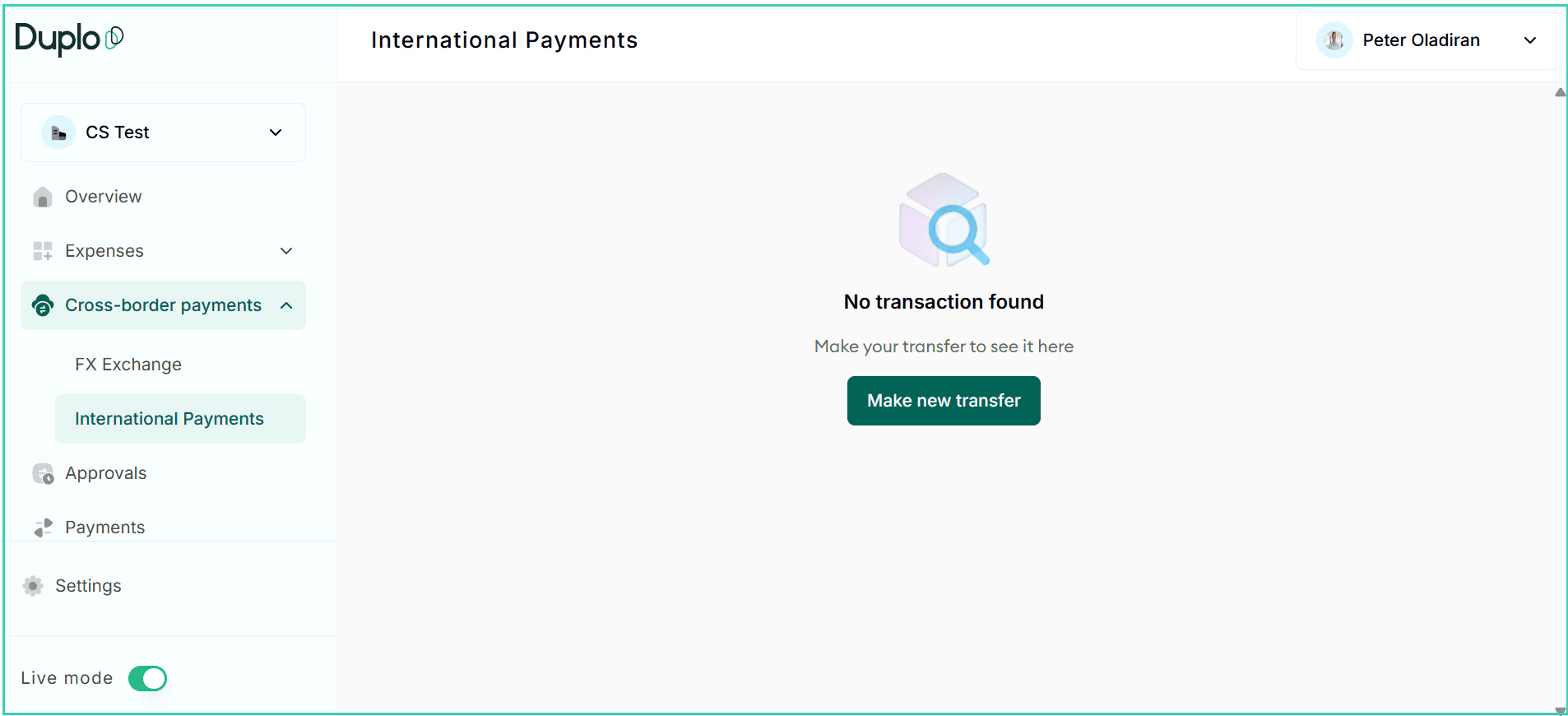
Click on “Cross-border payments” and select “International Payments”
-
Click on “Make new transfer” as shown below:
-
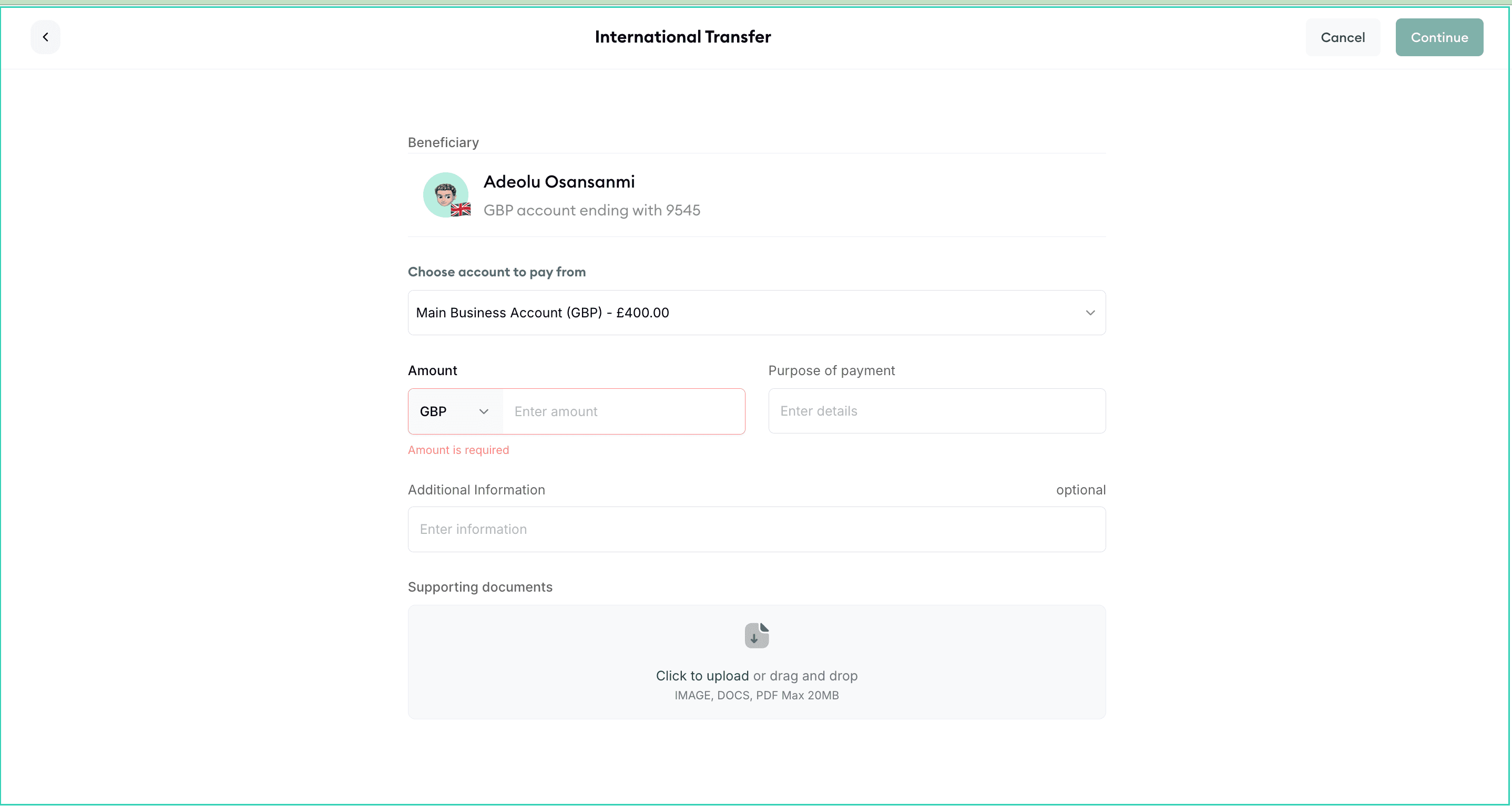
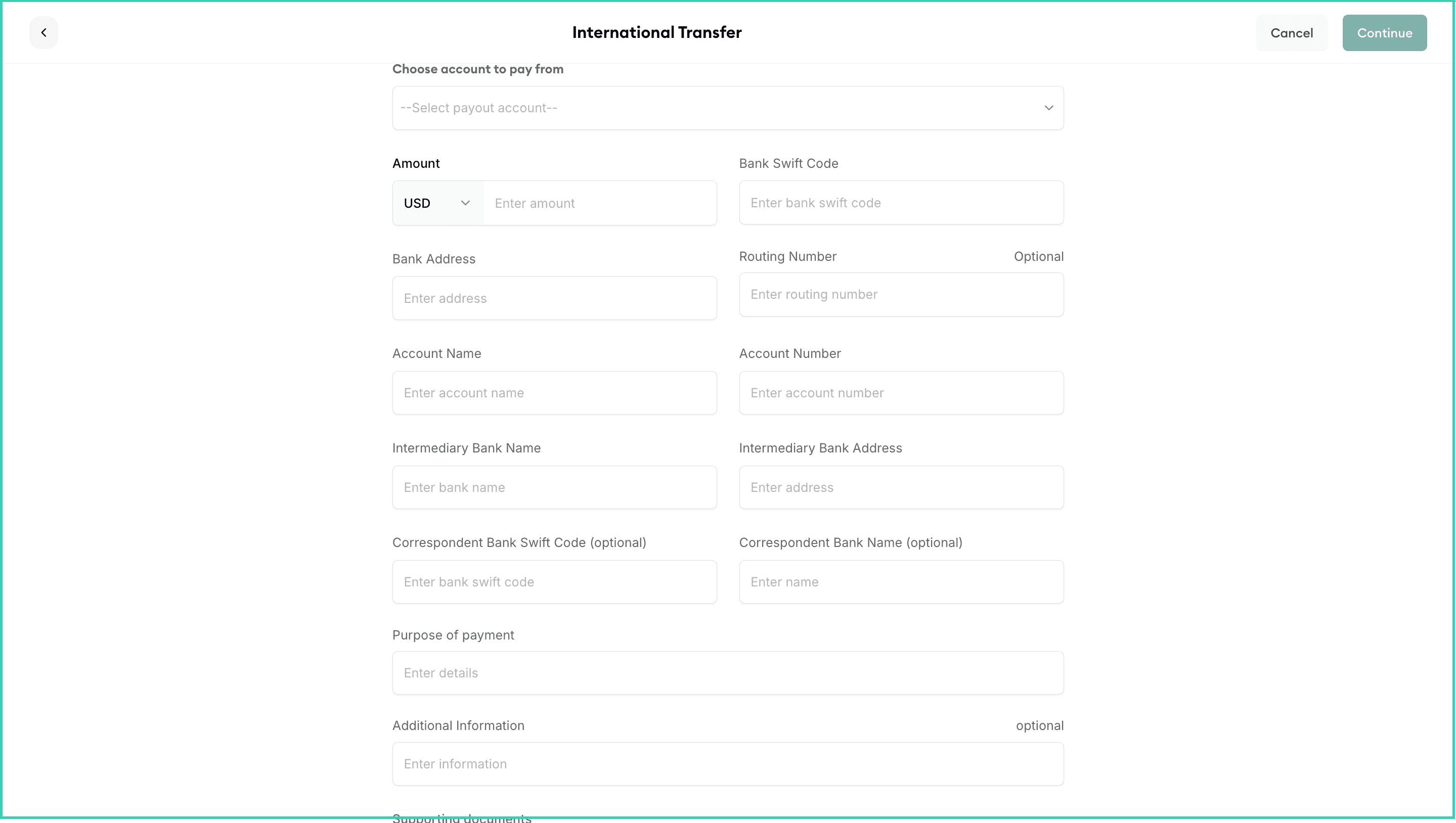
Select whom you want to make the payment to: an existing recipient or a new recipient.
-
If you select an existing recipient, you will see the image below. Fill in the required fields.
-
If you choose to pay a new recipient, you will see the image below. Fill in all the required fields.
-
Once complete, click on "Continue".
-
Enter the one-time password (OTP) from your preferred authentication method and finalize the process by clicking “Complete transaction”
Congratulations! You have successfully made a direct international payment.
Was this article helpful?
Related articles
Still need help?
Send a ticket to our support team and they will get back to you.